
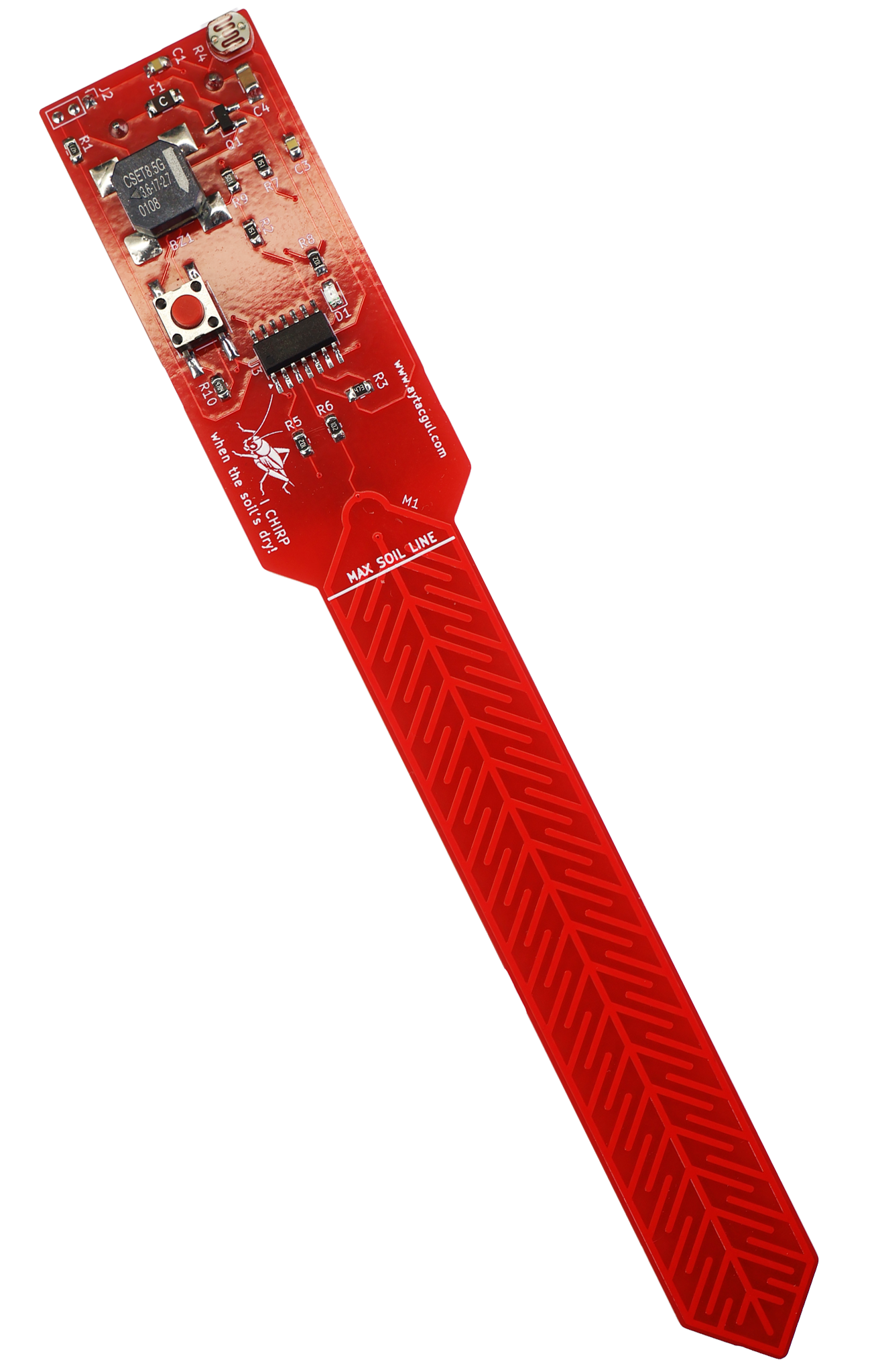
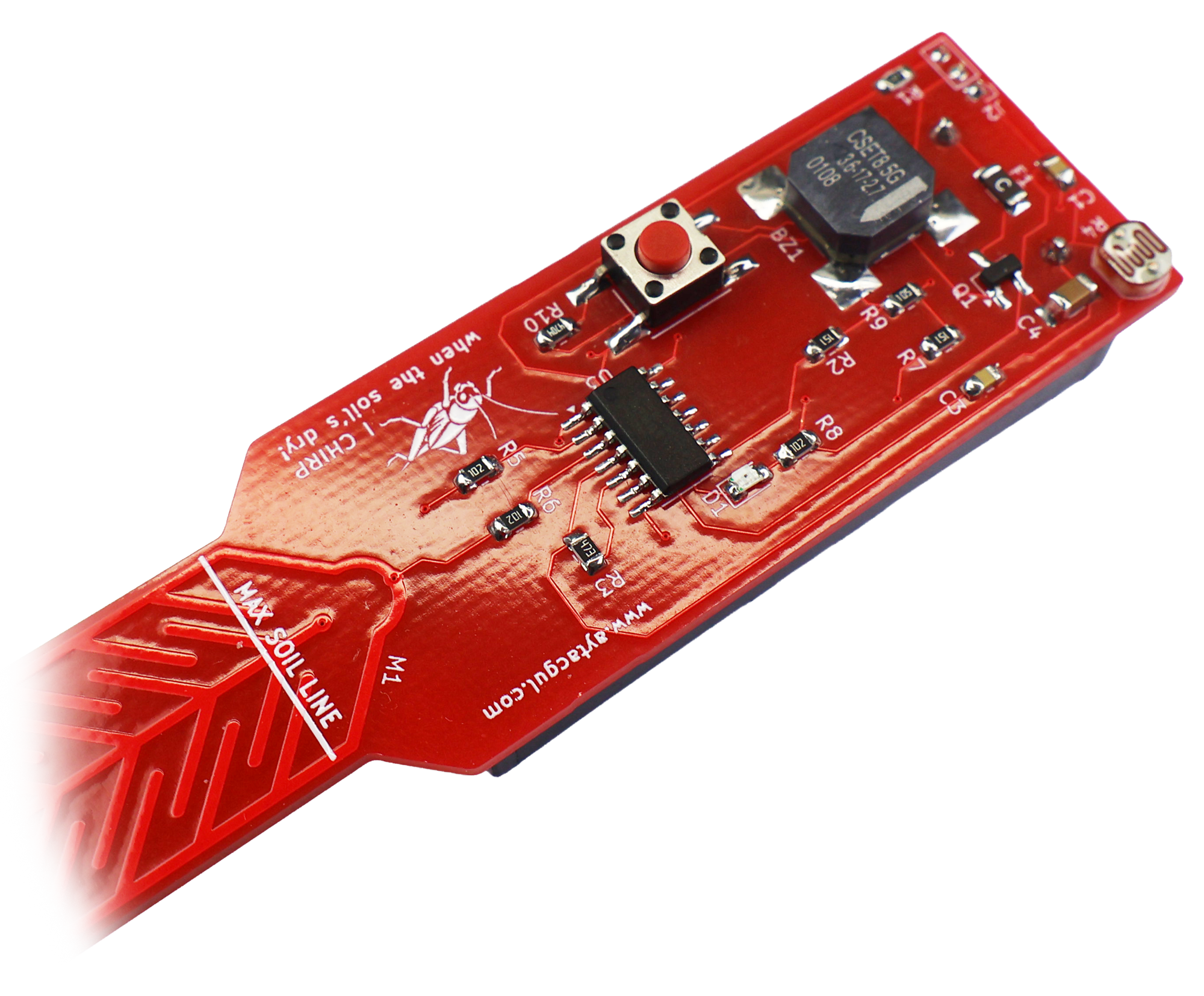
I built this little red soil moisture probe because I kept forgetting to water my chives.
That is basically the whole story.
I like growing herbs at home, especially chives, but they are not very forgiving when I forget about them for a few days. I did not want another Wi-Fi sensor, phone notification, cloud dashboard, or app. I wanted something simple: a small battery-powered stick that sits in the pot and politely complains when the soil gets dry.
So I made Chirp.
It is a low-power capacitive soil moisture alarm based on an ATtiny1614. When the soil is dry, it makes a short cricket-like chirp sound during the day. At night, it stays quiet and only blinks the LED, so it does not wake anyone up.
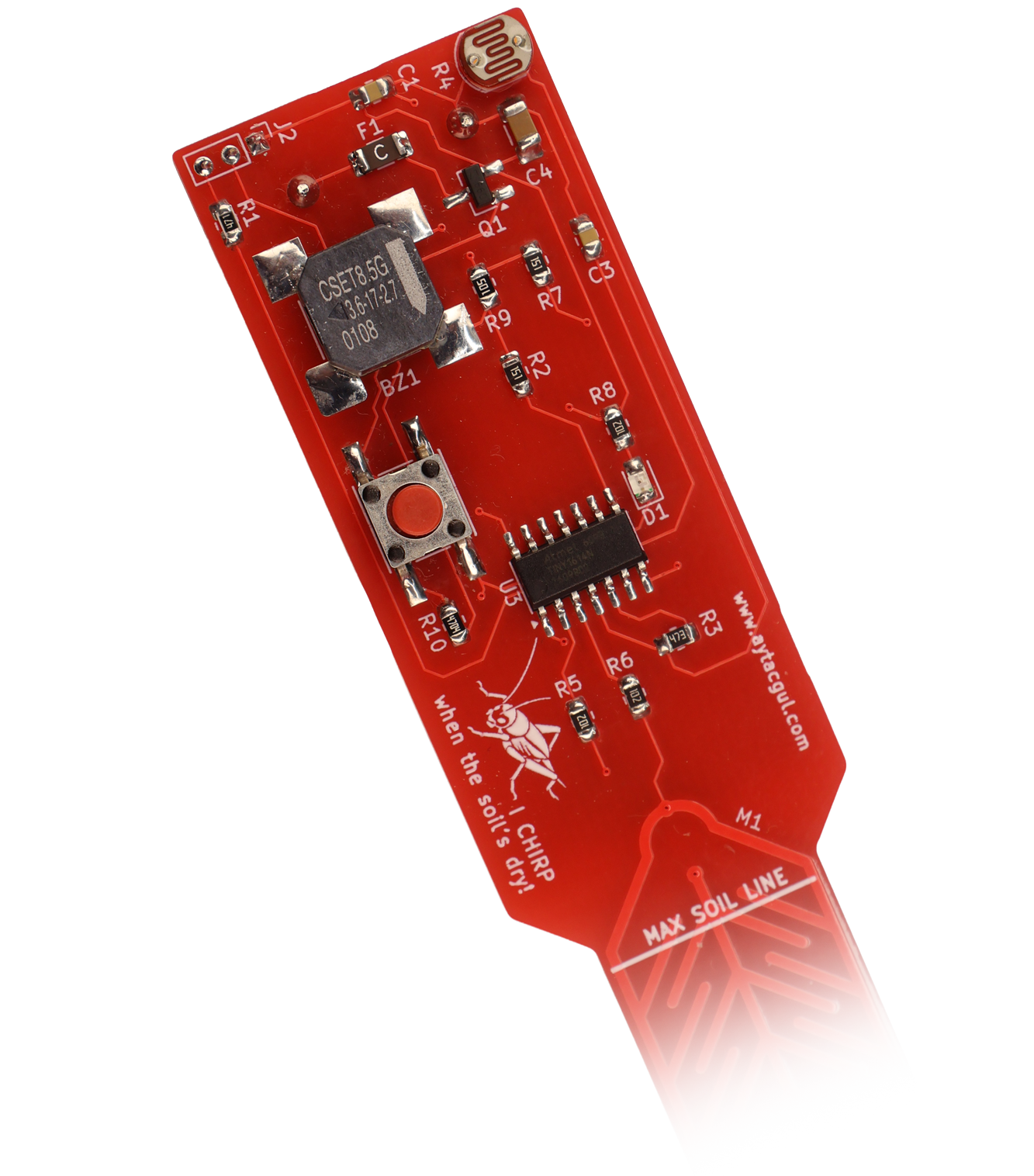
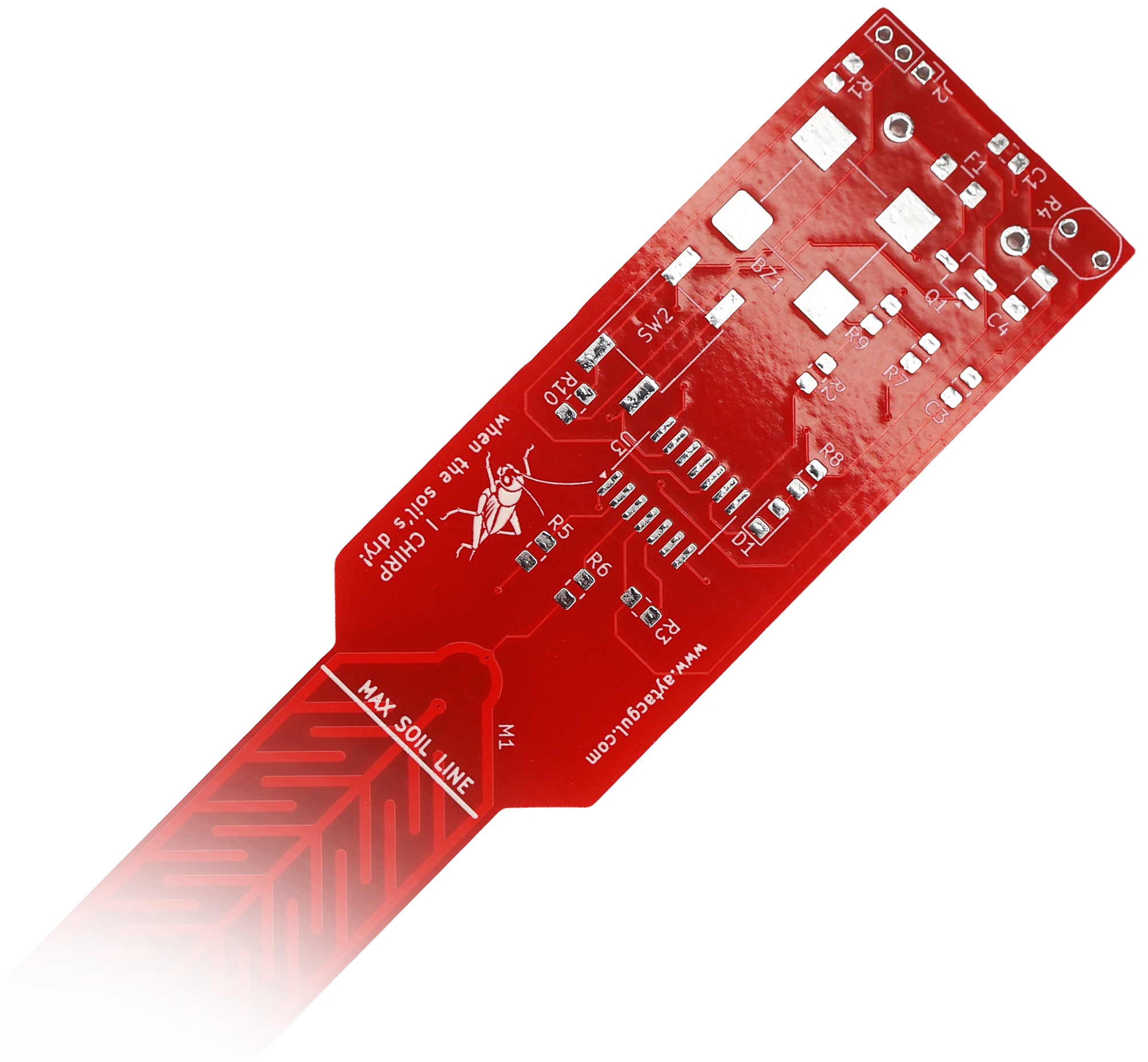
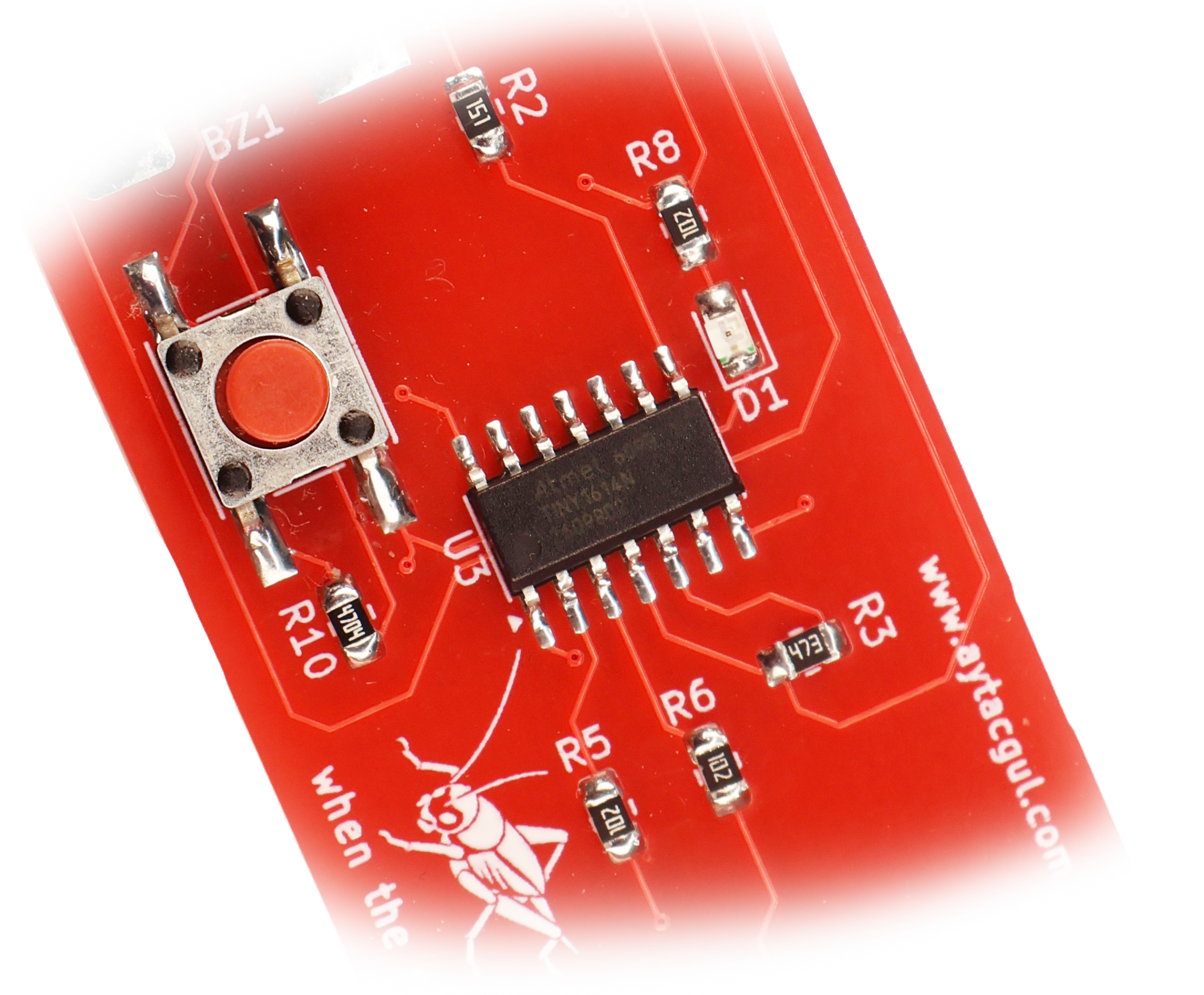
The PCB is designed as a single probe-shaped board. The lower part is the capacitive sensing electrode, and the upper part contains the microcontroller, LDR, button, LED, buzzer driver, and battery/power circuitry.
The whole project will be released with:
- PCB Gerber files
- Arduino source code
- Schematic
Why a chirping soil sensor?
Most plant sensors either show a number, send data somewhere, or need you to check them manually. I wanted the opposite.
I wanted something that behaves more like a living thing.
When the plant needs water, it chirps.
Not continuously. Not annoyingly. Just three short cricket-like bursts every measurement cycle during daylight. Enough to notice it, but not enough to hate it.
The “cricket” idea also makes the device feel less like a warning alarm and more like a small garden companion.
Main features
Chirp has a very simple user interface:
| Action | Result |
|---|---|
| Short button press | Manual soil test |
| Soil is moist enough | Two short beeps |
| Soil is dry | Three cricket chirps |
| Hold button for about 2 seconds | Save current soil reading as dry threshold |
| Hold button for about 5 seconds | Save current LDR value as day/night threshold |
| Hold button for about 10 seconds | Factory reset |
| Automatic wake every ~30 minutes | Measure soil and react |
| Dry soil + daylight | Three cricket chirp bursts |
| Dry soil + darkness | Three LED blinks, no sound |
| Wet soil | One short LED blink |
Hardware overview
The circuit is built around an ATtiny1614 running from two AAA batteries, around 3 V.
The design uses:
- ATtiny1614 microcontroller
- Capacitive PCB soil probe
- LDR for day/night detection
- Passive piezo buzzer
- One push button
- One LED
- EEPROM storage for calibration values
- Low-power sleep between measurements
The capacitive probe is not a separate sensor module. It is part of the PCB itself. The long lower section of the board contains two copper electrode patterns. The microcontroller measures the capacitive behavior of this section through two GPIO pins.
This avoids exposed metal electrodes in the soil, which is important because resistive probes corrode over time. A capacitive probe is much better for long-term use in a plant pot.
Pin mapping
| ATtiny1614 pin | Function |
|---|---|
| PA4 | Capacitive soil electrode A |
| PA5 | Capacitive soil electrode B |
| PA6 | LDR ADC input |
| PA7 | LDR divider power enable |
| PA3 | Push button input |
| PB0 | LED output, active-low |
| PB1 | Piezo buzzer side A |
| PB2 | Piezo buzzer side B |
The buzzer is driven differentially from two GPIO pins. Instead of connecting one side of the piezo to ground, the firmware drives both sides in opposite phase. This gives a louder sound from the same battery voltage.
Capacitive soil measurement
The soil probe is measured by charging and sampling the two PCB electrodes in both directions.
The firmware does this:
- Discharge both electrodes.
- Drive electrode A high.
- Read electrode B through the ADC.
- Discharge again.
- Drive electrode B high.
- Read electrode A.
- Average both readings.
This bidirectional method helps reduce bias and makes the result more stable.
The firmware repeats this process many times using different settling times. The final value is averaged before being compared with the saved dry baseline.
In my code, the dry check is intentionally simple:
bool soilIsDry(uint16_t soilRaw) {
  uint16_t d = absDiff16(soilRaw, cfg.dryBaseline);
  return d <= DRY_BAND;
}
The saved calibration value represents the soil condition where I want to water the plant. If the measured value is close enough to this baseline, the soil is considered dry.
Calibration
There are two calibration modes.
Soil threshold calibration
When the soil reaches the dryness level where I normally want to water the plant, I hold the button for about two seconds.
The device plays a short “daa-dit” marker sound. When I release the button, it measures the current soil value and stores it in EEPROM as the dry baseline.
After saving, it plays a confirmation melody.
This way, the device is not tied to a fixed ADC value. I can calibrate it directly inside the pot, with the actual soil, plant, and moisture level I care about.
Light threshold calibration
The LDR is used to decide whether it is day or night.
To set the light threshold, I hold the button longer. After the soil calibration marker, I keep holding it. Around five seconds, the device plays a “daa daa dit” marker sound. When I release the button, it saves the current LDR reading as the day/night threshold.
From then on:
- brighter than the threshold means daytime
- darker than the threshold means nighttime
The firmware also uses hysteresis so the device does not rapidly switch between day and night near the threshold.
Sound behavior
The sound design is one of my favorite parts of this project.
A normal beep would work, but it would be boring. Instead, the alarm is made from a group of very short 4 kHz pulses.
One chirp burst contains 16 short pulses. The alarm plays three bursts with a short gap between them.
That creates a sound close to a tiny electronic cricket.
During each chirp pulse, the LED also flashes, so the device gives both sound and visual feedback.
Night mode
I did not want this thing chirping in the middle of the night.
So the device checks the LDR only when the soil is dry. If the soil is wet, there is no need to measure light at all.
If the soil is dry and the room is bright, Chirp sounds the cricket alarm.
If the soil is dry and the room is dark, it stays silent and only blinks the LED three times.
That means it can sit in a bedroom or living room without becoming annoying.
Low-power operation
The firmware is designed around sleep.
The ATtiny1614 spends almost all of its time in power-down mode. It wakes up from the RTC PIT interrupt approximately every 32 seconds. A counter tracks these wake events, and the real soil measurement only happens after 56 wake cycles.
That gives a measurement interval of about:
56 × 32 seconds = 1792 seconds
1792 seconds ≈ 29 minutes 52 seconds
So in normal use, Chirp checks the soil roughly every 30 minutes.
Between measurements:
- ADC is disabled
- soil pins are high impedance
- piezo pins are high impedance
- LDR divider is turned off
- LED is off
- button interrupt remains active
- MCU returns to power-down sleep
With my UT61B+ measurements at around 3 V using two AAA batteries, the estimated battery life is around two years, depending on battery quality, alarm frequency, humidity, and leakage.
Firmware flow summary
| Flow | Trigger | What happens |
|---|---|---|
| Startup | Battery inserted / reset | Configure pins, load EEPROM settings, start RTC PIT, enable interrupts |
| Sleep | End of loop | Disable ADC, set unused pins safe, enter power-down mode |
| RTC wake | Every ~32 seconds | Increment wake counter |
| Automatic measurement | After 56 RTC wakes | Read soil moisture |
| Moist soil | Automatic measurement | Blink LED once, return to sleep |
| Dry soil | Automatic measurement | Read LDR |
| Dry + daylight | Automatic measurement | Play three cricket chirp bursts |
| Dry + night | Automatic measurement | Blink LED three times silently |
| Button short press | User press/release | Manual soil test |
| Manual test wet | Short press | Two short beeps |
| Manual test dry | Short press | Three cricket chirps |
| Soil calibration | Hold ~2 seconds | Save current soil reading as dry baseline |
| LDR calibration | Hold ~5 seconds | Save current LDR reading as day/night threshold |
| Factory reset | Hold ~10 seconds | Restore default EEPROM values |
Button interface
I wanted the device to have only one button, but still be usable without a serial port or display.
The button timing works like this:
| Press duration | Feedback while holding | Action on release |
|---|---|---|
| Short press | none | Manual soil test |
| ~2 seconds | "daa-dit" sound | Save soil dry threshold |
| ~5 seconds | "daa daa dit" sound | Save LDR threshold |
| ~10 seconds | reset melody | Factory reset |
No computer required.
Using Chirp
The normal setup process is:
- Insert batteries.
- Put Chirp into the soil up to the marked maximum soil line.
- Let the plant dry to the point where I would normally water it.
- Hold the button for about two seconds.
- Release after the soil calibration marker sound.
- Water the plant.
After that, the device knows what “too dry” means for that pot.
For light calibration:
- Place the pot in the lighting condition where I want the device to switch between day and night.
- Hold the button.
- Keep holding after the first marker.
- Release after the second marker.
- The LDR threshold is saved.